
- Store
BD/DVD
Video
Mobile
- Windows Software
- iPhone Data Recovery
- iPhone Transfer
- Mac software
- iPhone Data Recovery for Mac
- iPhone Manager for Mac
PDF
- Windows Software
- PDF Converter Ultimate
- Mac software
- PDF Converter for Mac
Freeware
- Support
Convert MTS, M2TS, TS video files to popular HD videos like HD AVI, HD WMV, HD MP4, HD MKV, HD MPEG, H.264/MPEG-4 AVC and general videos like AVI, MP4, WMV, MOV, 3GP, FLV, MKV, MPEG, etc.
You can use this tool to convert MTS file to HD videos to compress the file size for your easier storage. Any HD video formats are supported, including HD AVI, HD MOV, HD MPEG, HD MP4, H.264/MPEG-4 and general videos like MP4, AVI, MOV, WMV, DivX, Xvid, MKV, MPEG, FLV, 3GP and so on.
Besides, it allows you to extract audio from MTS videos and convert to all popular audio formats like AAC, AC3, AIFF, FLAC, MP3, M4V, MP2, OGG, WAV, WMA and so forth.
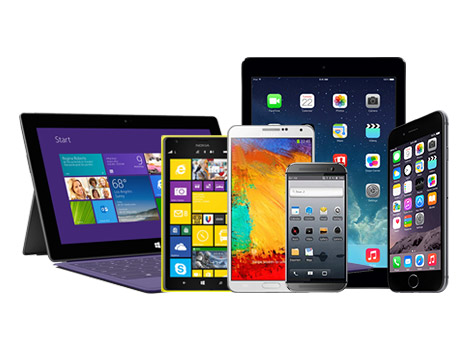
You can directly convert MTS videos to various digital devices like Apple TV, iPhone 6/6 Plus, iPhone 5s/5c/5, iPhone 4s/4, iPad Air/2, iPad 4, iPad mini 2/3, Samsung Galaxy Note 3/S5, iPod, PSP, PS3, Xbox, Zune, Archos, mobile phones, etc.

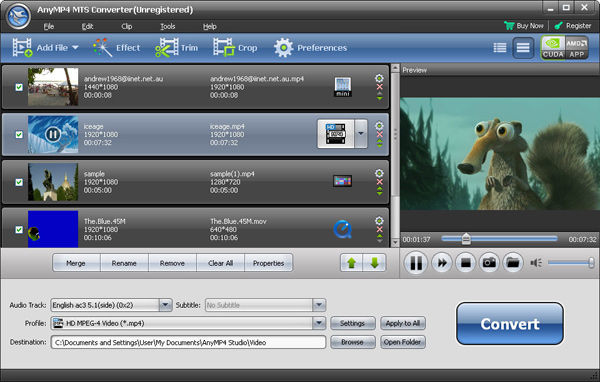
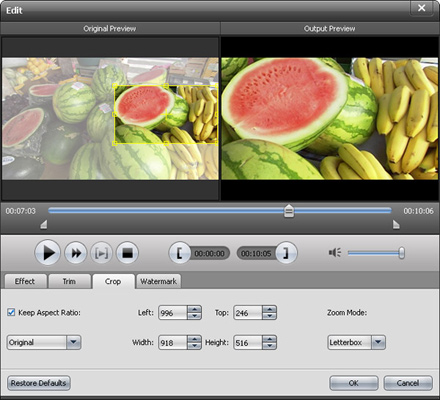
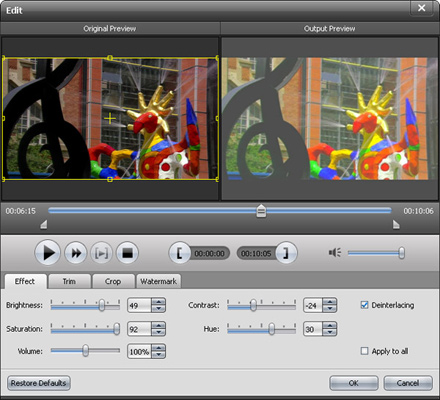
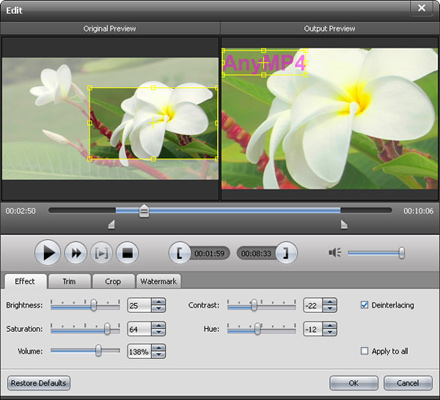
Common video editing functions are also provided in this MTS converter so that there is no need to search for other professional editing software. You can use the trim function of this suite to get rid of them, crop the screen size of video image to remove the black border around the original video, adjust effect, merge clips into one file and so on. All these effects can be previewed in real time for you to check the output effect.
Besides choosing the output format, you can also adjust detailed video and audio settings like Video Encoder, Resolution, Frame Rate, Video Bitrate, Audio Encoder, Sample Rate, Channels, Audio Bitrate, etc. This tool allows you to customize the output quality to meet your specific needs.
With the help of this useful MTS Video Converter, you can preview both the original and edited files at the same time so that you can see the effect of editing clearly. While previewing the video in the preview pane, you can also take snapshot of the scenes you like easily by click the snap button.

| Video | Standard video formats: TS, MTS, M2TS HD video formats: MTS, TS, M2TS, TP, TRP |
|---|---|
| Audio | Standard audio formats: MP3, MP2, AAC, AC3, WAV, WMA, M4A, RM, RAM, OGG, AU, AIF, AIFF, APE, FLAC, CUE |
It has the capability to convert any video files like MTS, MP4, AVI, MKV, M4V, MOV, WMV, FLV, etc. to HD and SD videos as well as 3D Videos.
Learn More >>
Convert almost all HD videos, general videos to MP4 for playback on popular portable devices like iPhone 6/6 Plus, Samsung Galaxy 5, HTC One, etc.
Learn More >>
Convert QuickTime MOV and QT files to any popular video format, such as, MP4, MOV, M4V, AVI, WMV, MPG, TS, VOB, MKV, etc. with high output quality.
Learn More >>