
- Store
BD/DVD
Video
Mobile
- Windows Software
- iPhone Data Recovery
- iPhone Transfer
- Mac software
- iPhone Data Recovery for Mac
- iPhone Manager for Mac
PDF
- Windows Software
- PDF Converter Ultimate
- Mac software
- PDF Converter for Mac
Freeware
- Support
iCoolsoft Total Media Converter for Mac allows you to convert between any video formats including MKV, MP4, AVI, VOB, WMV, AVCHD, MPEG, MOV, FLV, MTS, M2TS, and audio formats like MP3, AAC, WAV, FLAC, MP2, M4A and more.
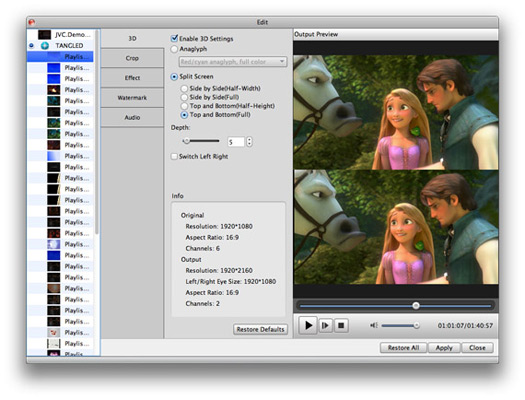
What is more, this Media Converter Mac enables you to convert 2D videos to 3D videos to enjoy with stereo visual effects.
Thus you can convert any media file to popular videos and audios like MP4, MOV, M4V, and MP3 for playback on mainstream digital devices like iPhone 6/6 plus/5s/5c/5/4s, iPad mini 3/mini/Air/4/, the new iPad, iPod, Samsung GS5/GS4/Galaxy Note, Windows Phone and more.
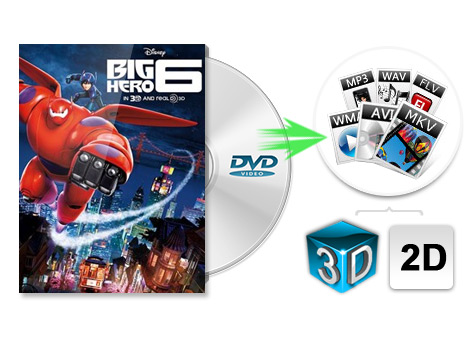
The comprehensive Mac Total Media Converter not only can convert videos, but also has the capability to convert DVD to any video and audio formats such as AVI, MPEG, WMV, MP4, MOV, FLV, MKV, M4V, MP3, WMA, ALAC, AAC, and more easily. Any your favorite DVD discs, DVD folders and DVD ISO image files can be converted to the video format you need.
Apart from the basic function of converting videos and DVDs, this Media Conerting software can download online videos from websites like YouTube, Yahoo, Vimeo, Dailymotion, Facebook, Metacafe and others. Then you can use this Online Video Converter to convert the downloaded videos to the playable formats of your devices and enjoy with ease.
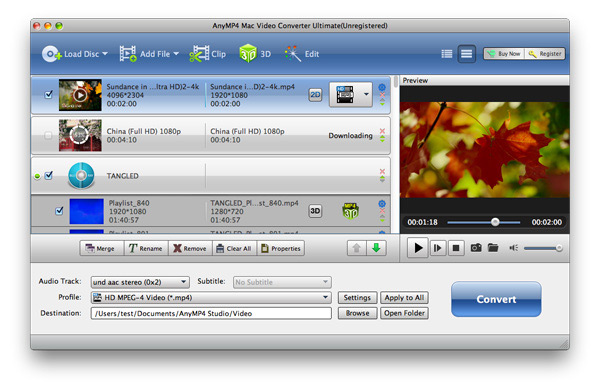
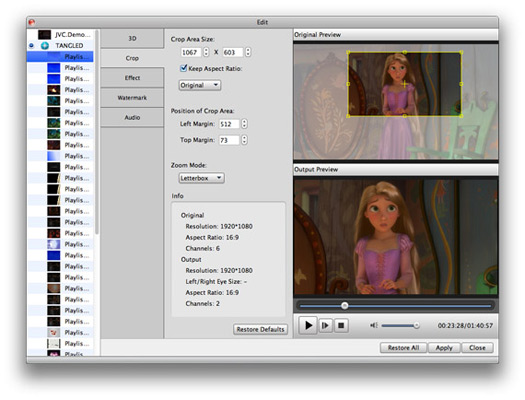
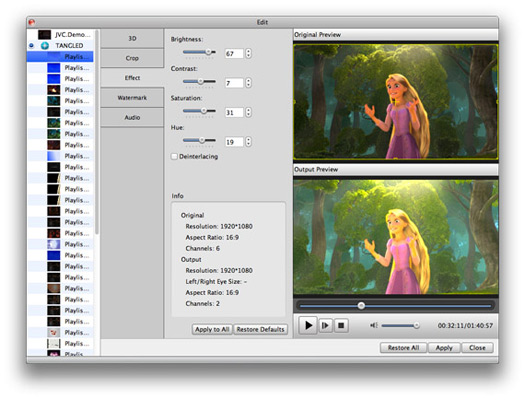
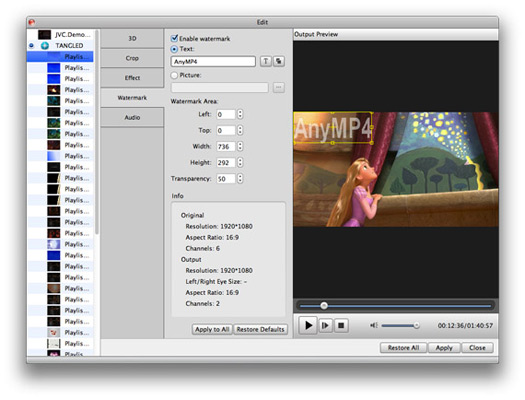
In order to make your personalized video, this Total Media Conversion enables you to edit the files by adjusting output file effect, trimming any time-length clips, cropping video play region, adding watermark and so on. You will get your favorite segment as you want. Moreover this Total Video Converter for Mac still allows you to merge selected file clips and DVD contents into one file.
Besides, you can specify output parameters like set video Encoder, Frame Rate, and Video Bitrate to get customized video quality. Set Audio Encoder, Sample Rate, Channel, and Audio Bitrate.


With its clear and easy-to-use interface, Mac users can finish the conversion within a short while. And you are able to take snapshot of the videos while preview them via the built-in video player.
This Mac Media Converter is compatible with various devices, such as iPhone 6/6 Plus, iPhone 5s/5c/5, iPad 4/Air 2/mini 3, iPod touch/nano, Google Nexus, Moto X, Samsung Galaxy Note 3, HTC One M8, Lumia 1520/930, Surface Pro, Apple TV, PSP, PS3, Wii, Zune, Sony Walkman, Archos, Creative Zen, iRiver, Xbox 360, and so on.
| DVD | DVD Disc, DVD Folder, DVD ISO Image Files |
|---|---|
| Video | Standard video formats: MPG, MPEG-1, MPEG-2, MPEG-4, MJPEG, VOB, DAT, MP4, DivX, Xvid, M4V, TS, MTS, M2TS, RM, RMVB, WMV, ASF, MKV, AVI, 3GP, 3G2, F4V, FLV, SWF, MPV, MOD, TOD, QT, MOV, DV, DIF, MJPG, MJPEG, TP, TRP, WebM HD video formats: MTS, TS, M2TS, HD AVI, HD MP4, HD WMV, HD MPG, HD MOV, QuickTime HD MOV, TP, TRP |
| Audio | Standard audio formats: MP3, MP2, AAC, AC3, WAV, WMA, M4A, RM, RAM, OGG, AU, AIF, AIFF, APE, FLAC, CUE |
Create DVD disc/folder/ISO image file from video formats like MP4, AVI, MKV, etc. as well as HD video formats with multiple DVD menu templates.
Learn More >>
This powerful FLV Converter for Mac can convert FLV, SWF videos to MOV, MKV, MP4, AVI, MPEG, WMV, 3GP, MKV and other more popular video formats.
Learn More >>
Transfer video, music, photo file between Mac and iPhone; backup iPhone files to iTunes for later use; backup contacts and SMS on Mac.
Learn More >>